Feel your people around you.
The Now map is a live picture of your circle — who's nearby right now, who just got home, who's at the café around the corner. Not a feed to scroll. A place to glance.
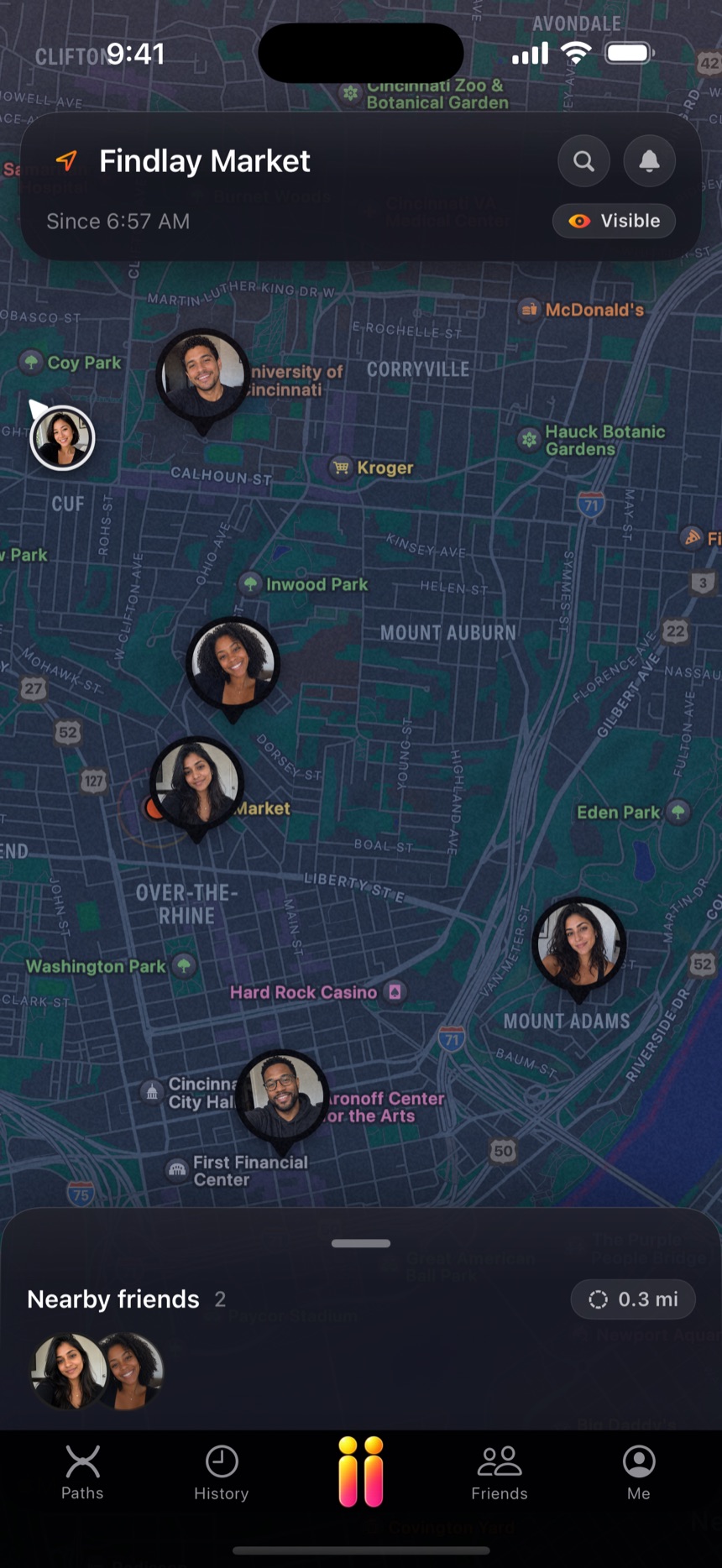
Your radius
Set the distance that counts as “nearby” — two blocks or two miles — and the map keeps a quiet count of the friends inside it.
A heads-up that matters
👋 Nora's nearby — she's a few minutes away. One warm notification when it's worth knowing, not a stream of noise.
It actually moves
Friends who share exact location move on the map in real time. Everyone else shows as nearby — present, without the pinpoint.
One map, all your worlds.
Nobody has just one circle. Make each of yours a group and flip the map between them — never a crowded map, never noise from a world you're not in right now.
Circles you define
Name a group, give it a color, put the right people in it — family, work friends, the Sunday golf group. Edit or dissolve them anytime.
One tap to focus
Flip to a group and the map shows that group — not everyone you've ever added, all talking at once. Groups organize your view; they never change what anyone sees of you.
Say what you're up for without saying it.
Six one-tap vibes ride on your pin — visible to your friends, gone by morning. No group text, no "who's out tonight?" — the map just says it.
Share with the group. Then it stops itself.
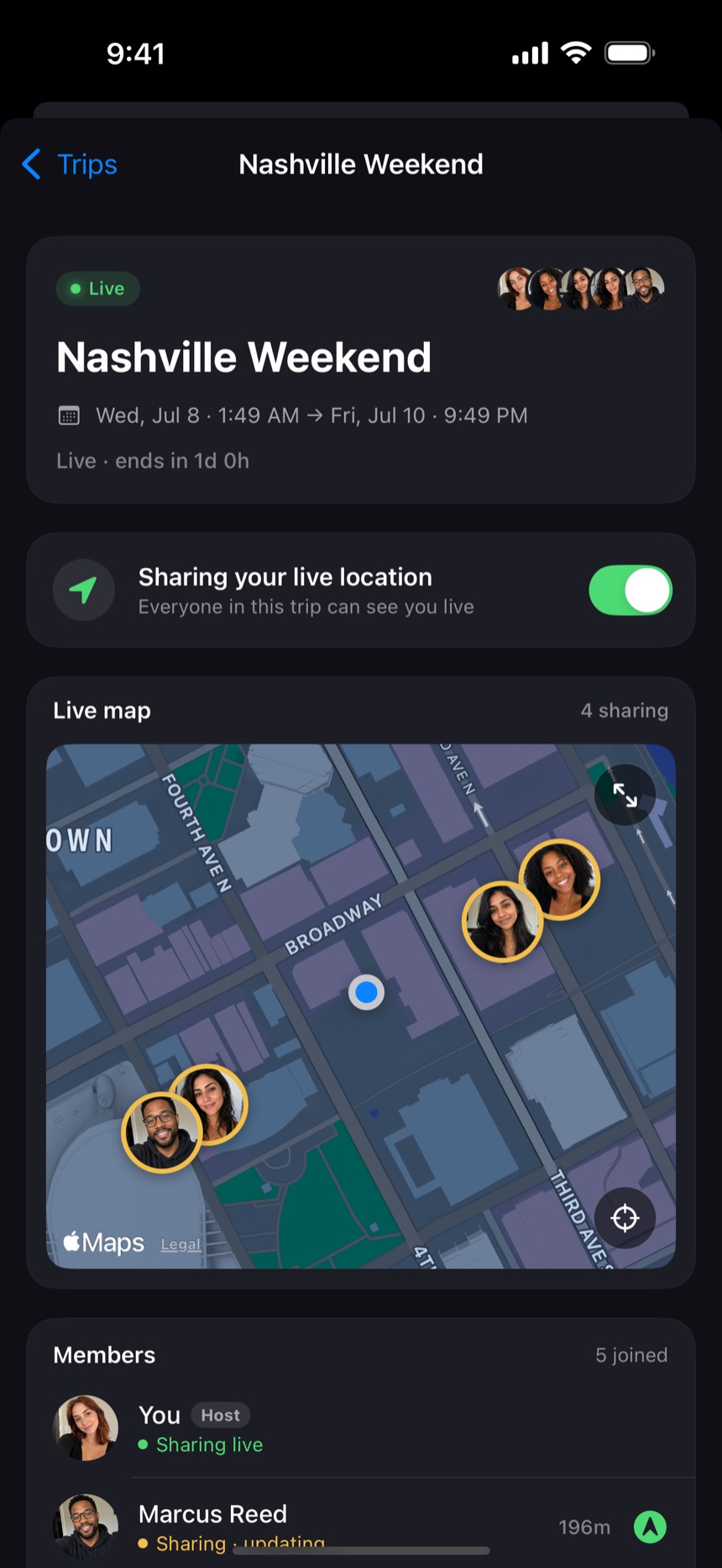
Traveling together? Make a Trip — a temporary group with dates. Everyone who accepts shares exact location with everyone else for exactly that window. When the trip ends, the sharing ends. Nothing to remember to switch off.
- An off switch, built in. Sharing expires with the trip — no "umm… you're still sharing!!", no settings to undo on the flight home.
- A layer, never a change. A trip never touches your everyday per-friend tiers — it sits on top, then lifts away. And going invisible still beats everything, even mid-trip.
- The whole group counts. Everyone on the trip sees everyone on the trip — including your roommate's boyfriend you technically just met. The in-person Finder works straight off the trip map.
- One album for the weekend. Every trip gets a Community Album — the group's photos in one reel that outlives the sharing window.
- Every friend sees you at the level you chose for them — Hidden, Nearby, or Exact. Nearby means presence, not coordinates.
- The Visible toggle is one tap. Go dark for an hour or a month; nobody gets an alert that you did.
- Engineered to sip battery: visit detection and significant movement, not a GPS firehose. The map sleeps when you're settled.
- No strangers, no discovery, no public profiles. The map only ever contains people you accepted.